
Small Business Voicemail Setup: Complete Checklist
A professional voicemail system is more than just a message - it’s an extension of your brand. It ensures missed calls turn into opportunities by leaving callers with a strong first impression. Here’s how to set up a voicemail system that reflects your business’s professionalism:
- Start with clear goals: Define the purpose of your voicemail - whether it’s capturing leads, offering support, or reinforcing your brand.
- Craft concise greetings: Include your name, business, availability, callback expectations, and alternative contact options. Keep it under 30 seconds.
- Prioritize audio quality: Record in a quiet space or use tools like VoiceMailCraft for studio-quality sound.
- Create custom messages: Tailor greetings for business hours, after-hours, holidays, or specific departments.
- Regularly update your voicemail: Ensure messages reflect current hours, closures, or promotions.
Tools like VoiceMailCraft simplify the process with AI-powered templates, multiple voice options, and background music for $24–$29 per greeting. A polished voicemail system builds trust, strengthens your brand, and keeps communication seamless. Let your voicemail work for you 24/7.
Get Started with Basic Voicemail | AT&T Phone for Business
How Voicemail Affects Business Branding
Your voicemail greeting isn’t just a message - it’s a direct extension of your brand. It communicates professionalism, reliability, and even a bit of your company’s personality in just a few seconds.
Voicemail as a Branding Tool
Think of your voicemail greeting as a quick commercial for your business. The tone, language, and structure of the message all give callers an immediate sense of your brand’s values. Even details like voice quality, background noise, and pacing play a role in shaping that impression.
A clear and professional greeting - stating your company name, department, and your own name - establishes credibility and confirms to the caller that they’ve reached the right place. Beyond that, the style of your message should align with your brand’s personality. For instance, a creative agency might use a casual, upbeat tone, while a law firm would likely stick to something more formal and polished. Including useful details like your business hours, available services, or even current promotions can turn your voicemail into a subtle marketing tool. This not only strengthens your brand but also sets the stage for better customer connections.
How It Affects Customer Relationships
A good voicemail greeting does more than represent your brand - it directly influences how customers feel about your business. When your message explains why you’re unavailable and provides helpful alternatives, it reassures callers and reduces frustration. You can include options like an email address, a website, or a support line, and ask for essential details like their name, phone number, and reason for calling to make follow-ups smoother.
Setting a clear timeframe for when they can expect a callback is another small but powerful way to build trust. It shows you value their time and sets realistic expectations.
In short, a thoughtful voicemail that acknowledges the caller, offers useful information, and sets clear expectations doesn’t just reinforce your brand - it leaves a positive impression that encourages future engagement. It’s a small detail that can make a big difference.
Required Tools and Technology for Voicemail Setup
Setting up a professional voicemail system doesn’t have to break the bank. With the right tools, including AI-driven solutions, you can create a polished setup that leaves a lasting impression. Let’s dive into the essentials.
Basic Tools for Business Voicemail Systems
Your starting point is your phone system - whether you’re using traditional landlines or a VoIP system. VoIP, in particular, offers added flexibility and often includes voicemail management features right out of the box.
Here’s what you’ll need for a smooth setup:
- Reliable Internet Connection: For VoIP systems, a strong connection ensures clear communication.
- Recording Equipment: Dedicated tools to capture high-quality audio, though these can be optional with modern AI solutions.
- Voicemail Management Software: This integrates with your phone system to organize and manage messages efficiently.
If you’re looking to skip the hassle of recording hardware, AI-based tools can help you create professional greetings directly from your computer.
VoiceMailCraft Features and Benefits
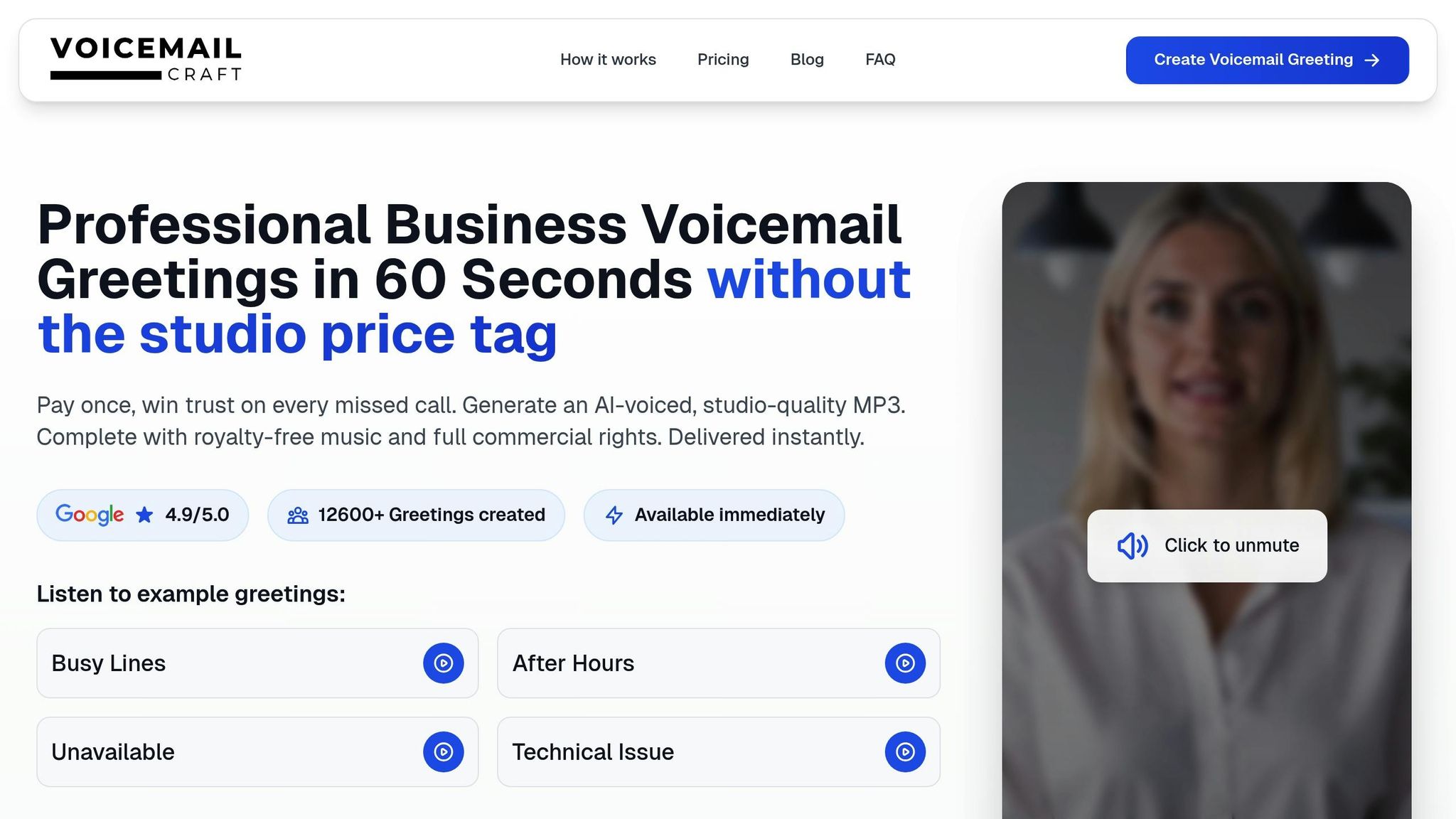
VoiceMailCraft takes voicemail creation to the next level with its suite of advanced features. This platform simplifies the process using AI and offers over 15 natural voice options to align with your brand’s personality.
Key highlights include:
- Customizable Message Templates: Perfect for tailoring messages for business hours, after-hours, holidays, or department-specific needs.
- Background Music Options: Choose from 18 styles to add a touch of professionalism without overpowering the message.
- Instant MP3 Downloads: Once your greeting is ready, download it as an MP3 file. These files come with full commercial rights and are universally compatible with most business phone systems.
Pricing is straightforward: $24 for a greeting without music and $29 for one with background music.
How to Integrate VoiceMailCraft with Your Phone System
VoiceMailCraft’s MP3 files are designed for seamless integration with virtually any phone system, whether you’re using a VoIP service or a traditional landline setup. The process is simple: download your custom greeting from VoiceMailCraft, then follow your phone system’s instructions to upload and update your voicemail settings. For detailed guidance, check your provider’s support documentation.
With these tools in hand, you’re all set to move on to the step-by-step setup process outlined next.
sbb-itb-359026e
Complete Voicemail Setup Checklist
Ready to set up a voicemail system that reflects your brand's professionalism? With the right tools in hand, follow these steps to create a voicemail experience that leaves a lasting impression.
Step 1: Define Your Voicemail Goals
Before hitting record, take a moment to clarify your voicemail’s purpose. Your goals will shape the tone and content of your message.
Are you focusing on capturing leads, providing customer support, or reinforcing your brand image? Your approach will depend on your audience - whether that's corporate clients or local customers. Personalized greetings can significantly boost customer satisfaction.
Jot down your top three objectives. This simple exercise ensures your voicemail aligns with your broader business strategy and meets your callers' needs.
Step 2: Write and Record Professional Greetings
A polished voicemail greeting starts with a well-thought-out script. Research shows that 80% of callers are more likely to leave a message when the greeting sounds professional and welcoming.
Your script should include these four key elements:
- Clearly identify yourself and your business.
- Share your current availability.
- Let callers know when they can expect a callback.
- Provide an alternative contact method for urgent matters.
Keep your message concise - 20 to 30 seconds is ideal. This respects your caller’s time while ensuring all the essential details are covered.
"Your voicemail creates the first impression you leave callers with when they don't reach you directly. It should make as good an impression as if they're speaking to you directly - yet voicemail greetings are often overlooked or left as an afterthought."
– Robert Pleasant, Content Writer, Dialpad
VoiceMailCraft makes crafting professional greetings easy with customizable templates and over 15 natural AI voices. Whether you need a formal tone for professional services or a friendly vibe for retail, their templates ensure your greeting is both concise and on-brand.
As you write your script, steer clear of complex language or industry-specific jargon. Read it aloud to catch any awkward phrasing before recording.
Step 3: Test and Improve Audio Quality
Audio quality plays a huge role in how your voicemail is perceived. Poor sound can erode trust, while clear audio reinforces credibility.
If you’re recording your own greeting, find a quiet space free from background noise and echo. Speak directly into the microphone, keep a consistent distance, and use a clear, welcoming tone. Take your time - rushing can make your message hard to follow.
Even if you’re using VoiceMailCraft’s studio-quality recordings, it’s important to test how the file sounds on your phone system. Call your number from various devices - landlines, cell phones, and VoIP systems - to ensure the audio is consistent and easy to understand. Adjust volume levels if needed to make your message clear without being too loud.
Step 4: Create Custom Greetings for Different Situations
A single voicemail greeting won’t cut it for every situation. Tailored messages help set the right expectations and provide relevant information.
Consider creating specific greetings for:
- Regular business hours
- After-hours
- Holidays
- Temporary closures
For example, an after-hours message could include an emergency contact, while a holiday greeting might share your return date and offer seasonal well-wishes. If your business has multiple departments, department-specific greetings can further enhance the customer experience.
VoiceMailCraft’s templates make it easy to create, store, and manage multiple greetings. You can even add background music to differentiate between message types. Document when to use each greeting and ensure your team knows how to switch them when needed.
Step 5: Update Voicemail Messages Regularly
An outdated voicemail greeting can frustrate callers and damage your credibility. Regular updates ensure your message reflects current business hours, staffing, and promotions.
Set a monthly schedule to review your greeting. Does it still match your operating hours? Are there any changes in staffing or new contact methods to include? Keeping your message updated improves communication and enhances customer satisfaction.
With VoiceMailCraft’s AI-powered system, updating your greeting is quick and hassle-free. Instead of re-recording with traditional equipment, you can generate a new message with consistent, studio-quality sound in minutes - and you’ll retain full commercial rights for as long as you need.
To stay ahead, set calendar reminders to review and update your voicemail before any planned changes. This proactive approach ensures your callers always receive accurate, up-to-date information. Once your voicemail is set, focus on regular maintenance for continued improvement.
How to Maintain Your Professional Voicemail System
Keeping your voicemail system polished and up-to-date is key to presenting a consistent and trustworthy image of your brand. A well-maintained voicemail not only strengthens your brand identity but also reassures customers that they’re in good hands.
Review and Update Greetings Regularly
Your voicemail greeting should always reflect your current business hours, services, and contact details. Regular updates are essential, especially during holidays or seasonal changes.
For example, during major holidays like Thanksgiving or Christmas, record a greeting that informs callers of closures and when operations will resume. If you’re on vacation, let callers know when you’ll return and provide an alternative contact for urgent matters. These small touches show professionalism and consideration.
After recording updates, test them on different devices to ensure they sound clear. Also, keep a log of changes - note the date, reason for the update, and when the next review should happen. This simple habit ensures your voicemail always stays relevant.
To make this process even smoother, consider using AI for quick and customized updates.
Use AI for Seasonal and Custom Updates
AI tools can simplify voicemail updates, saving you time and effort. Instead of re-recording entire messages, platforms like VoiceMailCraft allow you to create professional greetings in under a minute.
Need a festive touch? AI can generate holiday-themed greetings that match your brand's tone. Whether it’s a cheerful Christmas message for a family-owned business or a polished New Year’s greeting for a corporate firm, AI adjusts the tone to suit the occasion while maintaining high audio standards.
If different departments require unique messages, AI can handle that too. For instance, your customer service team may need a different greeting than your sales department, and AI ensures consistent branding across all recordings.
VoiceMailCraft even offers 18 background music styles, letting you tailor greetings to specific seasons or events. Plus, with full commercial rights to all generated messages, you can prepare and store greetings ahead of time, making future updates a breeze.
Once your messages are updated, focus on maintaining impeccable audio quality.
Keep Audio Quality Standards High
Clear, professional audio makes a lasting impression. Poor sound quality, on the other hand, can make even the best scripts sound unprofessional.
Recording Tips:
Choose a quiet space to record, speak directly into the microphone, and maintain a consistent distance. A moderate speaking pace ensures clarity.
Delivery Matters:
The way you speak can set the tone for your voicemail. Smile while recording - it naturally adds warmth to your voice. Speak clearly and maintain a welcoming tone to make your message approachable and professional.
After recording, always test the audio. Listen carefully to ensure it’s crisp and clear. You might even ask colleagues for feedback to catch issues you may have missed.
"Test your recording to ensure it's clear and professional." - NUACOM
If you want to elevate your voicemail further, consider hiring professional voice talent for your main greetings. Alternatively, VoiceMailCraft’s AI voices offer studio-quality sound at a fraction of the cost, giving you the flexibility to update messages quickly as your business evolves.
Finally, always check how your greetings sound across different devices. If you notice any drop in quality, address it immediately - your customers will appreciate the attention to detail.
Conclusion: Key Points for Small Business Voicemail Success
A well-crafted voicemail system not only shapes how customers perceive your business but also strengthens your brand identity.
Voicemail Setup Checklist Recap
To ensure your voicemail system hits the mark, keep these essentials in mind: set clear goals, craft concise greetings, prioritize audio quality, and tailor custom messages for different scenarios.
- Crystal-clear audio is crucial. Even the simplest message sounds polished and professional when the sound quality is top-notch.
- Custom messages are a game-changer. Create greetings tailored to specific situations - like holiday hours, after-hours calls, or department-specific needs. This thoughtful touch shows customers you value their time and experience.
- Consistency matters. Keep your voicemail system updated. Whether you're adjusting business hours, announcing seasonal changes, or refreshing contact details, regular updates signal professionalism and attention to detail.
Why AI Tools Like VoiceMailCraft Make Sense
Traditional voicemail setup can be time-consuming and expensive. That’s where AI tools like VoiceMailCraft come in, making the process faster, easier, and more affordable.
With over 15 natural-sounding AI voices, you can create professional-grade greetings in under a minute. No need for recording studios or hiring voice talent. Plus, the one-time pricing model is perfect for small businesses - just $24 for the Standard Package or $29 for the Premium Package (which includes background music). Both options come with full commercial rights and unlimited playback, eliminating ongoing fees or usage limits.
Another big perk? Instant updates. Whether your business hours change or a holiday is coming up, you can quickly generate new greetings without the hassle of scheduling voice recordings.
Your voicemail system operates around the clock - use it to leave a lasting impression and reinforce your brand. By following this checklist and tapping into the power of AI tools, you’ll create a voicemail experience that’s polished, professional, and always on point.
FAQs
How can I make sure my voicemail greeting reflects my brand's personality and values?
To make sure your voicemail greeting aligns with your brand’s personality and values, keep the tone and language consistent with how you usually engage with your customers. Aim for a tone that’s both friendly and professional, reflecting your brand’s overall communication style.
Keep the message clear and concise. Mention your business name, offer a warm greeting, and provide straightforward instructions for the caller. Steer clear of generic messages - this is your chance to add a bit of your brand’s unique flavor. For instance, if your brand leans playful, you might include a cheerful or quirky phrase. On the other hand, a more formal brand should maintain a polished and professional tone.
Don’t forget to revisit your voicemail script regularly. This ensures it continues to match your brand’s evolving identity and meets your customers’ expectations.
What should I include in a professional voicemail greeting to leave a positive impression on customers?
A professional voicemail greeting should clearly state your name, your business name, and your hours of operation so callers know who they’ve reached and when they might hear back. Politely request specific details like their name, the reason for their call, and the best way to reach them. This helps streamline follow-ups. Be sure to mention the expected response time and, if possible, provide alternative contact options for immediate assistance. Wrap up your message with a thank you to leave a warm and professional impression.
How does VoiceMailCraft use AI to make managing my business voicemail easier?
VoiceMailCraft uses AI technology to make managing voicemails easier and more efficient for businesses. It automatically transcribes voicemail messages into text, so you can quickly review and understand them without needing to listen to the audio. On top of that, it organizes messages by content, helping you prioritize important responses and keep everything in order.
The AI doesn’t stop there - it can also handle follow-up tasks, like sending automated replies or reminders. This not only saves time but also ensures you stay on top of customer communication. Together, these features provide a seamless voicemail management system designed to suit the unique demands of your business.